 Alerua
Using Alerua
Make your own radar colors
Alerua draws reflectivity and velocity in colors you choose: one color for each value, blended or in steps.
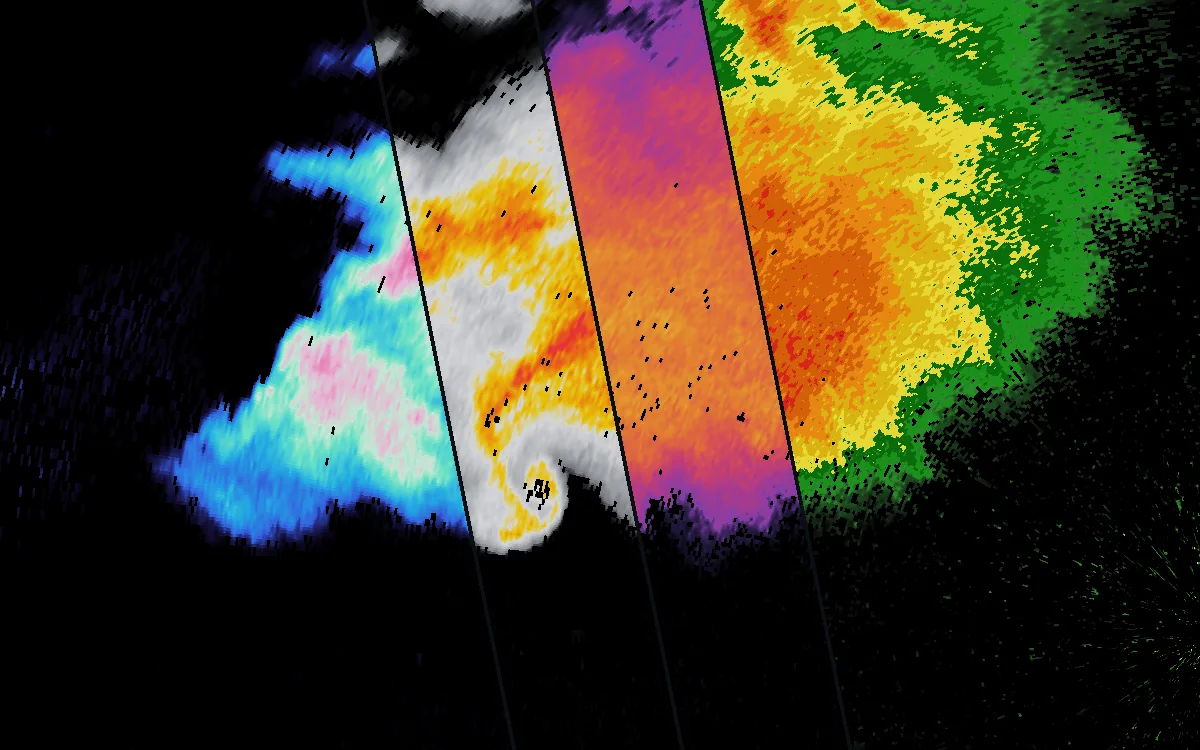
- KTLX Norman, Oklahoma
- 6:14 PM CDT, May 31, 2013
- Reflectivity in four custom scales
What a color scale is
Reflectivity is a number for every spot the radar scans, in dBZ. A color scale says which color stands for which number. Alerua’s Classic scale runs from blue through green and yellow to red and magenta, and the other three styles each have a scale of their own.
A custom scale is one you make, as part of Alerua Pro. For reflectivity it holds 16 colors, one for every 5 dBZ from 0 to 75. For velocity it holds 15. The scan underneath does not change.
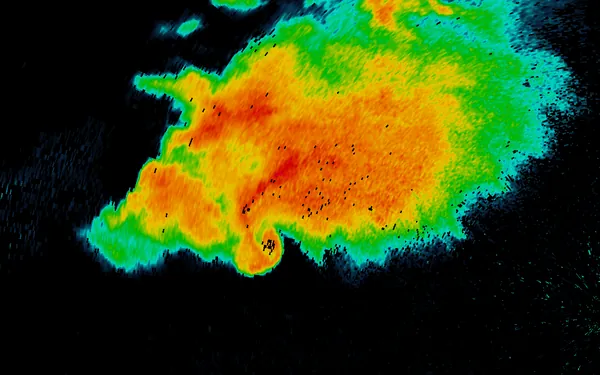
- KTLX Norman, Oklahoma
- 6:14 PM CDT, May 31, 2013
- Classic
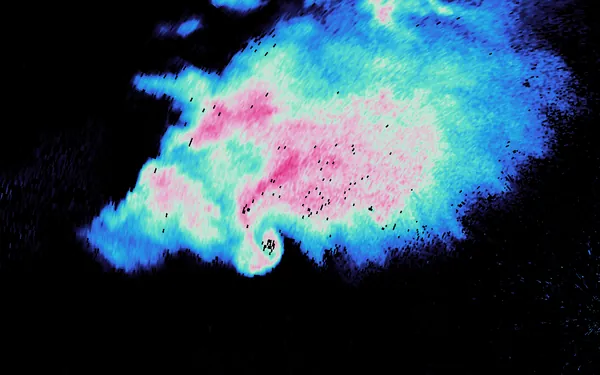
- A custom scale
Make a scale
Open the Settings tab and choose Custom radar colors, under Pro. Choose New scale, then Reflectivity or Velocity. The new scale starts as Alerua’s standard colors for that product and opens ready to change.
Give it a name and pick one of 16 icons. Both show in the Style menu, so a scale is easy to find there.
Under Colors is a row of cells, one for each value. Choose a cell, then set its color in the picker under the row, pick a ready-made color, or type a hex code.
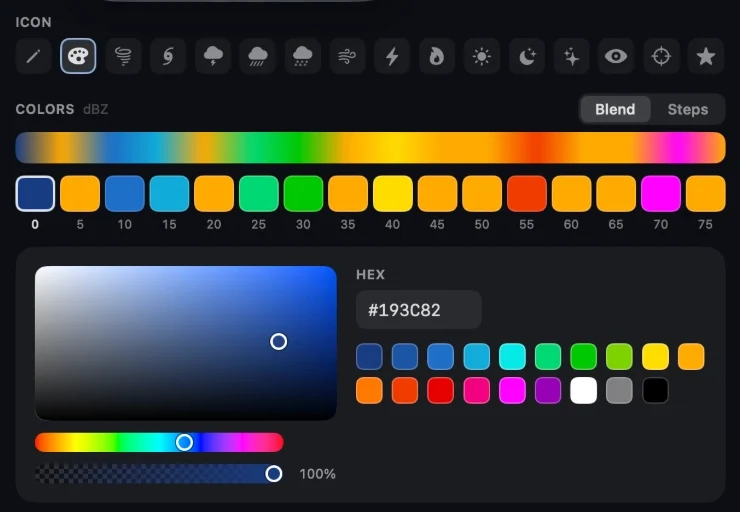
- 1The scale’s icon.
- 2Blend or Steps.
- 3A cell for each value, the chosen one ringed.
- 4The picker: the square sets shade and brightness, the strip under it the hue, and the last strip how see-through the color is.
- 5The color as a hex code, and ready-made colors.
Choose Done when you finish. A saved scale opens locked so that a stray touch can’t change it. Edit unlocks it, and Delete scale shows only then. Duplicate copies a scale as the start of another. You can keep 30.
Blend or steps
Blend fades each color into the next, so 42 dBZ is drawn part way between the colors for 40 and 45. Steps gives everything from 40 up to 45 the color for 40. That draws the storm in flat bands with hard edges, the way many television radars do.
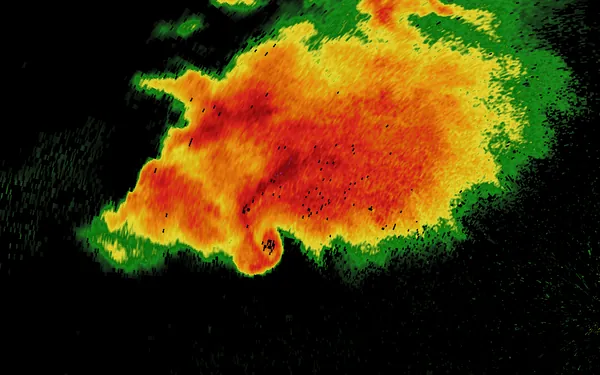
- Blend
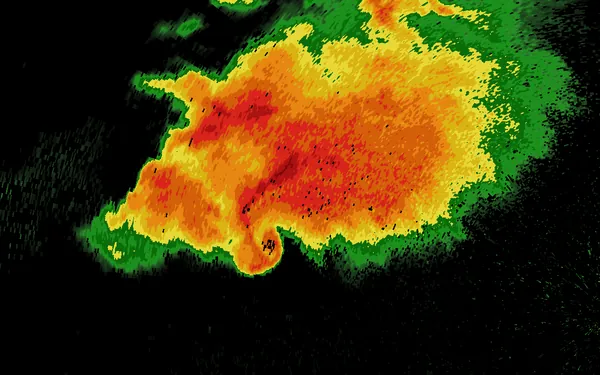
- Steps
Draw the radar in your scale
On the radar, open Style. Your scales are listed under Classic, Twilight, Frosted and Stormy, each with its name and icon. Reflectivity scales show while Reflectivity or Composite reflectivity is on screen, and velocity scales while Velocity or Storm relative velocity is. Choose one and the radar is drawn in it. Choosing one of the four styles puts it away.
A custom scale draws on the flat map. The 3D view, AR, the widgets and shared loops keep Alerua’s colors. Light rain is still drawn faintly, as it is in Classic, so the map shows through weak echoes whatever color you give them.
Four examples
All four are drawn on the same scan. Cyan to pink keeps blues for light rain and turns pink only in the core. Gray with a gold core leaves ordinary rain gray and gives color to 50 dBZ and up, so the eye goes to the strongest part of the storm. Violet to gold gets lighter all the way up, which keeps its order for someone who can’t tell red from green. Banded green to red uses Steps.
- Cyan to pink
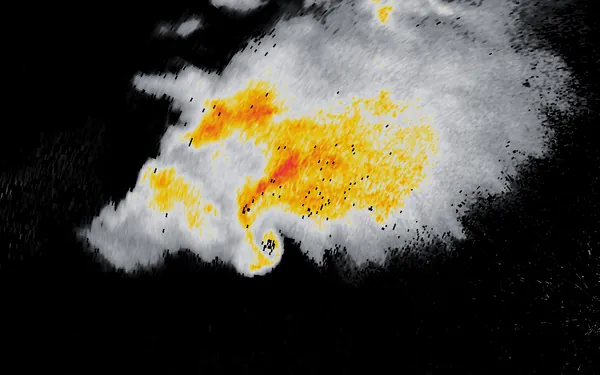
- Gray with a gold core
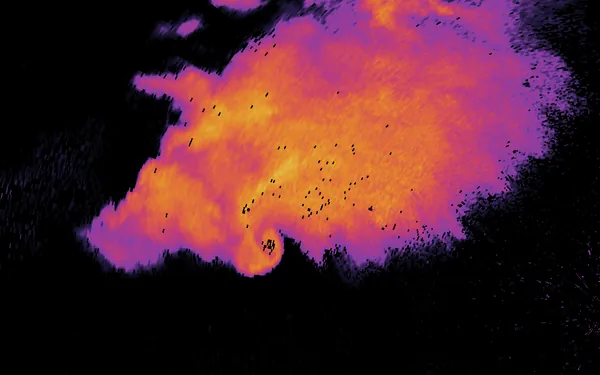
- Violet to gold
- Banded green to red
Velocity scales
A velocity scale has a color for 0, for 11, 22, 45, 67, 89 and 112 mph each way, and for the 142 mph ends. Alerua shows these in the speed unit you use. Velocity is read by its two sides: motion toward the radar on one, motion away on the other, and a tight pair of the two is rotation. A scale reads best with one family of colors for toward, another for away, and gray or white at 0.
Import a .pal color table
A .pal file is a color table in the format GRLevelX introduced, which RadarScope and RadarOmega also read. In Custom radar colors, choose Import a .pal color table and pick the file. Tables for reflectivity and velocity can be imported.
An imported table is drawn as its file says, with as many colors as it holds. Edit colors moves it onto Alerua’s 16 or 15 values so you can change it in the editor. Save as File writes any of your scales as a .pal file.
Keep reading
- Using AleruaWhat Alerua Pro addsReplay of any US radar back to 2009, loops up to 60 scans long, and radar colors of your own.
- Using AleruaHow to use the Alerua radar mapEvery control on the radar page, from Product to Settings, and what the tilts see.
- Radar basicsHow to read weather radarWhat a radar measures, what the colors mean and how to read a loop.
Further reading
Radar data from NOAA’s NEXRAD Level II archive.